|
|
Table of Contents |
|
IntelliJ IDEA is a Java IDE. IntelliJ IDEA provides proprietary means by which you define and interact with a Java project as other Java IDEs. Parameters for the interaction between IntelliJ IDEA and any Java project are available in a Project Properties graphical user interfaces (GUIs) interface. This interface allows you to define, run, and debug targets.
IntelliJ is a commercial application available at http://www.intellij.com.
To configure Ant for IntelliJ IDEA:
Select the Ant Build window.
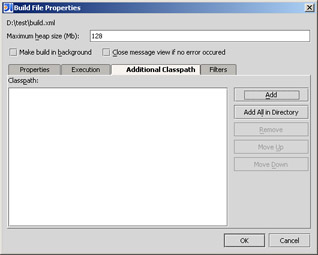
Select the Property item after expanding the Project tree. The Build File Properties window appears.
Provide the classpath and the properties for each build defined in the Ant Build window. The Build File Properties window appears, as shown in Figure 6-11:
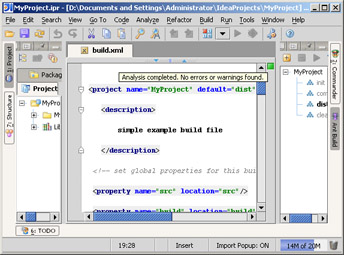
IntelliJ IDEA contains a tab for the Ant Build window. The window contains a toolbar at the top that contains four widgets: to add an Ant build, to remove the Ant build, to run the buildfile, and to filter targets. To run Ant:
Select the plus button. A file browser that allows you to select the Ant buildfile appears.
Include a buildfile in a project. Each of the build's targets is displayed in a tree-like structure. The Ant Build window appears, as shown in Figure 6-12:
|
|
Table of Contents |
|