<html>
<head>
<title>Africa's Big Five</title>
</head>
<body>
<h1>Africa's Big Five: A new list</h1>
<p>When you go on an African safari, everyone wants to see the
 so-called Big Five -- buffalo, elephant, leopard, lion and rhino
-- the big, aggressive, impressive creatures that give you
bragging rights.</p>
<p>I, however, preferred a less-celebrated five.</p>
<h3>My big five: </h3>
<ul>
<li> Giraffe </li>
<li> Zebra </li>
<li> Waterbuck </li>
<li> Warthog </li>
<li> Ostrich </li>
</ul>
<p>Ugly, awkward, unimpressive, and/or relatively common, they're
not exactly <a href="http://www.nationalgeographic.com"> National
Geographic</a> material! But they won me over, all the same!
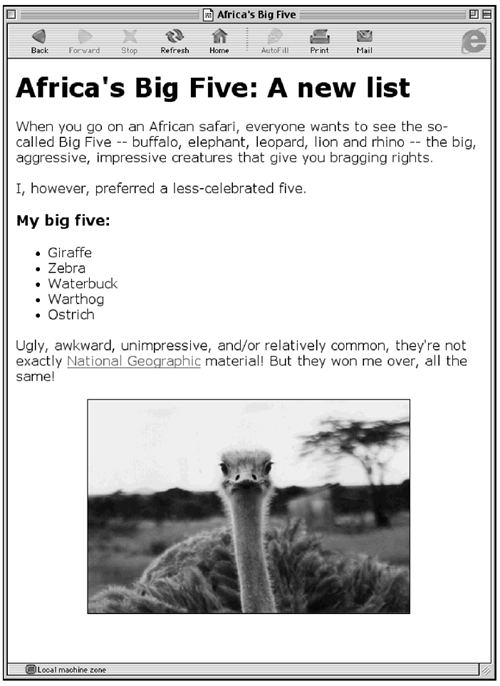
<p align="center"><img src="ostrich.jpg" border="1"></p>
</body>
</html> so-called Big Five -- buffalo, elephant, leopard, lion and rhino
-- the big, aggressive, impressive creatures that give you
bragging rights.</p>
<p>I, however, preferred a less-celebrated five.</p>
<h3>My big five: </h3>
<ul>
<li> Giraffe </li>
<li> Zebra </li>
<li> Waterbuck </li>
<li> Warthog </li>
<li> Ostrich </li>
</ul>
<p>Ugly, awkward, unimpressive, and/or relatively common, they're
not exactly <a href="http://www.nationalgeographic.com"> National
Geographic</a> material! But they won me over, all the same!
<p align="center"><img src="ostrich.jpg" border="1"></p>
</body>
</html>
|