|
|
Table of Contents |
|
Eclipse is an IDE that creates applications, such as Web sites, embedded Java programs, C++ programs, and Enterprise JavaBeans (EJB). Eclipse is written in Java and provides a Java editing environment. Eclipse supports color syntax formatting and highlighting, code completion, and easy access to JavaDoc. JavaDoc is a tool to generate Application Programmers Interface (API) documentation in HTML format from documentation comments in source code.
Eclipse is freeware available at www.eclipse.com.
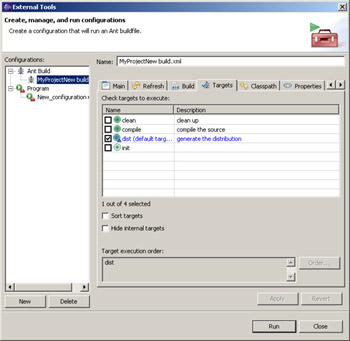
Ant is a built-in feature in Eclipse. Eclipse detects the build.xml buildfile and attaches a Run Ant menu item to the context menu. When you select the Run Ant option, a dialog box appears with all the targets of your buildfile, as shown in Figure 6-9:
To run Ant tool:
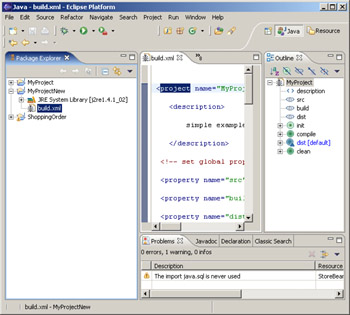
Select the appropriate XML file from the Navigator view.
Select Run from the menu bar. A drop-down menu appears.
Select Run from the drop-down menu. The launch configuration dialog box opens.
Select targets from the Targets tab.
Select Run.
If you clear the Show Execution Log in Console check box, the output of the build appears in the Eclipse Log Console window.
If any error occurs during the build and the build fails, Eclipse displays a message to indicate that the build failed and shows the output in the Eclipse Log Console window, as shown in Figure 6-10:
|
|
Table of Contents |
|