|
|
Table of Contents |
|
Ant provides four standard built-in loggers and a standard built-in listener, in addition to a default logger. If you do not specify any logger to Ant, it uses the default logger, DefaultLogger, to log information about events. The built-in listeners and loggers are:
DefaultLogger
NoBannerLogger
MailLogger
AnsiColorLogger
Log4jListener
XmlLogger
Ant uses DefaultLogger when you do not specify a logger to Ant. Because DefaultLogger is the base logger for other loggers, the other loggers include some more features than DefaultLogger.
The base class of the DefaultLogger class is the Object class, as shown in Figure 4-1:
The following command shows how to implement DefaultLogger in Ant:
ant -logger org.apache.tools.ant.DefaultLogger
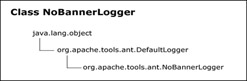
NoBannerLogger logs information from targets that are not empty and leaves the empty targets. Targets that do not produce output are empty targets. You can use NoBannerLogger to suppress the output that an event generates. NoBannerLogger does not skip useful information, such as ERROR, but does not log anything for targets or tasks that do not include a log message. ERROR is the output when a build ends in a failure. The NoBannerLogger class extends the DefaultLogger class, as shown in Figure 4-2:
The following command implements NoBannerLogger in Ant:
ant -logger org.apache.tools.ant.NoBannerLogger
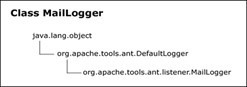
MailLogger buffers log messages from DefaultLogger and sends an e-mail message with the results. The result includes log messages in the form of success or failure messages. MailLogger then sends success or failure messages to separate e-mail lists. It logs all the messages it receives and after filtering them, sends them in an e-mail message to various recipients. You can define the e-mail addresses of the recipients in the $_recipient variable in the void shutdown() method. You need to set a group of properties for MailLogger to send e-mail messages to various recipients. The MailLogger class extends the DefaultLogger class, as shown in Figure 4-3:
Table 4-1 describes the properties that control the operations of MailLogger:
|
Property |
Description |
Required |
|---|---|---|
|
MailLogger.mailhost |
Specifies the mail server. |
No, the default is localhost. |
|
MailLogger.port |
Specifies the SMTP port for the mail server. |
No, the default is 25. |
|
MailLogger.user |
Specifies the user name for SMTP authentication. |
The MailLogger.user user name for Simple Mail Transfer Protocol (SMTP) authentication. Yes, if SMTP authentication is required on the SMTP server, the e-mail message will be sent using Mime and requires the JavaMail Application Programming Interface (API). |
|
MailLogger.password |
Specifies the password for SMTP authentication. |
Yes, if SMTP authentication is required on the SMTP server, the e-mail message will be sent using Mime and requires the JavaMail API. |
|
MailLogger.ssl |
Specifies On or TRUE if Secure Socket Layer SSL is needed. This feature requires JavaMail. |
No. |
|
MailLogger.from |
Specifies a mail from address. |
Yes, if a mail needs to be sent. |
|
MailLogger.replyto |
Specifies mail reply to address (es) separated by commas. |
No. |
|
MailLogger.failure.notify |
Sends e-mail messages for build failure notification. |
No, the default is true. |
|
MailLogger.success.notify |
Sends e-mail messages for build success notification. |
No, the default is true. |
|
MailLogger.failure.to |
Defines a comma-separated list of address (es) to send failure messages. |
Yes, if a failure mail is to be sent. |
|
MailLogger.success.to |
Defines a comma-separated list of address (es) to send success messages. |
Yes, if a success mail is to be sent. |
|
MailLogger.failure.subject |
Specifies the subject of a failed build. |
No, the default is Build Failure. |
|
MailLogger.success.subject |
Specifies the subject of a successful build. |
No, the default is Build Success. |
|
MailLogger.properties.file |
Specifies the file name of a properties file that will override other values. |
No. |
The following command shows how to implement MailLogger in Ant:
ant -logger org.apache.tools.ant.listener.MailLogger
AnsiColorLogger adds color to standard Ant output by using the ANSI color code. This logger provides different color sequences based on the type of output. For example, information messages may be in a different color than error messages. Because AnsiColorLogger extends DefaultLogger, it contains all the features of DefaultLogger.
AnsiColorLogger works on the Windows 9x command (CMD) shell with ANSI.SYS loaded. ANSI.SYS provides functions that change graphics, control cursor movement, and re-assign keys. AnsiColorLogger does not work on Windows NT/2000 in the command shell.
AnsiColorLogger is available in different color options, which you can use to specify a color. If you do not want to specify a color, use the default color. Editing the /org/apache/tools/ant/listener/defaults.properties file changes the default color. This file contains five key/value pairs:
AnsiColorLogger.ERROR_COLOR=2;31
AnsiColorLogger.WARNING_COLOR=2;35
AnsiColorLogger.INFO_COLOR=2;36
AnsiColorLogger.VERBOSE_COLOR=2;32
AnsiColorLogger.DEBUG_COLOR=2;34
AnsiColorLogger defines the values of a color combination as Attribute;Foreground;Background.
You should specify the file as the value of a system variable named ant.logger.defaults and pass it as an argument using the -D option to the Java command that invokes the Ant application.
Table 4-2 lists the attributes of color patterns for AnsiColorLogger:
|
Attribute |
Color |
|---|---|
|
0 |
Reset all attributes return to normal mode |
|
1 |
Bright |
|
2 |
Dim |
|
3 |
Underline |
|
5 |
Link |
|
7 |
Reverse |
|
8 |
Hide |
Table 4-3 lists the attributes of foreground colors:
|
Attribute |
Color |
|---|---|
|
30 |
Black |
|
31 |
Red |
|
32 |
Green |
|
33 |
Yellow |
|
34 |
Blue |
|
35 |
Magenta |
|
36 |
Cyan |
|
37 |
White |
Table 4-4 lists the attributes of background colors:
|
Attribute |
Color |
|---|---|
|
40 |
Black |
|
41 |
Red |
|
42 |
Green |
|
43 |
Yellow |
|
44 |
Blue |
|
45 |
Magenta |
|
46 |
Cyan |
|
47 |
White |
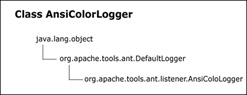
AnsiColorLogger extends the DefaultLogger class, as shown in Figure 4-4:
The following command implements AnsiColorLogger in Ant:
ant -logger org.apache.tools.ant.listener.AnsiColorLogger
The Log4jListener listener passes build events to the Log4j logger. The Log4jlistener listener delivers a listener event to the Log4j API with the class name of the sender event.
Log4j is an open-source logging API for Java, which inserts log statements in Java application code. It inserts the comments in a way that the comment statements do not affect the application code. Log4j categorizes log statements according to user-defined criteria and assigns various priority levels to the log statements. It also allows you to create formatted log output and provides default formats to write log statements to log destinations.
The Log4j API is a prerequisite of Log4jListener. You need to install and configure the Log4j API so that you can run Log4jListener in Ant.
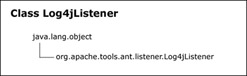
Log4jListener logs all start events as INFO and provides information in two forms depending on the response from the build file. The two forms are INFO, which represents a successful build, and ERROR, which represents a build failure. The build file is the default eXtensible Markup Language (XML) file in Ant. If the build fails, the finished events are logged as ERROR; otherwise, they are logged as INFO. Log4jListener logs message events according to their Ant logging level, mapping directly to a corresponding Log4j level. Log4jListener extends java.lang.Object, as shown in Figure 4-5:
The following command implements Log4jListener in Ant:
ant –listener org.apache.tools.ant.listener.Log4jListener
XmlLogger writes all build information to an XML file named log.xml. It writes all output either to the console or to the value of -logfile. The value of -logfile is the output of the console, which is generated by XmlLogger. Whether you use XmlLogger as a listener or as a logger, output is not generated until the build is complete because XmlLogger buffers the information to provide information for tasks, targets, and the project. The task includes all the work that needs to be performed. This is the command executed inside the target, which represents a logical block of tasks treated as one unit. A project defines multiple targets and any number of properties. A build file contains only one project block.
By default, the XML file creates a reference to an eXtensible Stylesheet Language Transformation (XSLT) file, log.xsl, in the current directory. You can set the ant.XmlLogger.stylesheet.uri property to provide a Uniform Resource Identifier (URI) to a style sheet. The URI can be a relative or an absolute file path or a HTTP Uniform Resource Locater (URL). If you set the property to an empty string, "", an XSLT transform is not declared. XmlLogger extends the java.lang.Object class, as shown in Figure 4-6:
The following command implements XmlLogger in Ant:
ant -listener org.apache.tools.ant.XmlLogger
|
|
Table of Contents |
|